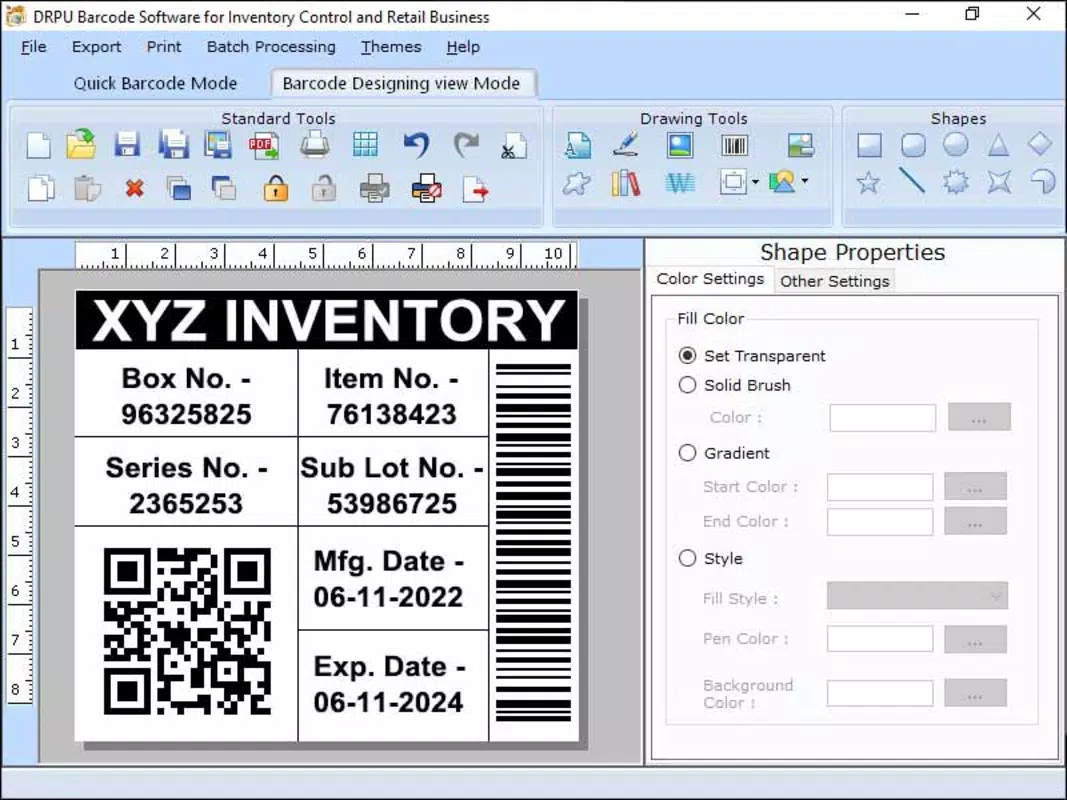

Download Supply Chain Barcode Maker Application – barcode maker, supply chain, logistics, inventory, tracking, shipping, packaging, warehouse, labeling, tracking code
Overview
The Supply Chain Barcode Maker Application is a dedicated mobile tool designed to streamline barcode creation for supply chain and logistics operations. Built specifically for professionals managing inventory, warehouse workflows, shipping processes, and packaging labeling, the app enables users to generate scannable barcodes quickly and efficiently. It addresses common challenges in supply chain management, such as inconsistent labeling, manual data entry errors, and inefficient tracking during transit or storage. By providing a direct method to create standardized barcodes on mobile devices, the app enhances operational accuracy and reduces delays in fulfillment and delivery cycles.
Target users include warehouse supervisors, logistics coordinators, inventory managers, and small business owners involved in e-commerce or distribution. The app supports real-world use cases such as labeling shipping containers, marking inventory bins, generating tracking codes for packages, and organizing warehouse stock with unique identifiers. These capabilities help maintain traceability and accountability across complex supply networks. The application is positioned as a lightweight utility within the broader productivity ecosystem, offering a focused solution for barcode generation without the overhead of full enterprise systems.
Developed by Ryan J. Boudreaux, the app reflects a hands-on approach to solving practical supply chain challenges. Although the developer did not provide additional technical details, the app’s minimal size and free pricing suggest a streamlined design with low resource demands. Its release on April 1, 2024, indicates a recent entry into the mobile productivity space, targeting users who need a simple, on-the-go barcode solution.
Key Features & Functionality
- Barcode Generation – Users can create standard barcodes using input data such as product codes, order numbers, or serial identifiers. The app supports common barcode formats suitable for scanning across supply chain systems.
- Custom Label Design – Allows users to customize barcode appearance with text labels, font sizes, and alignment options for clear visibility on packaging or storage bins.
- Export and Share – Generated barcodes can be saved as image files or shared directly via messaging apps, email, or cloud services for printing or digital distribution.
- Offline Functionality – The app operates without an internet connection, making it ideal for warehouse floors, shipping docks, or remote locations with limited connectivity.
- Fast Workflow Integration – Designed for rapid use, the app minimizes steps between data input and barcode output, reducing time spent on labeling tasks.
For example, a warehouse worker can enter a batch number, generate a barcode, and print it on a label to affix to a pallet. A logistics coordinator can create a tracking code for a shipment and send it to a carrier via email. These workflows support real-time tracking and improve coordination between teams. The app’s focus on usability ensures that even non-technical staff can generate accurate barcodes without training.
Interface, UX & Performance
The user interface of the Supply Chain Barcode Maker Application is designed with simplicity and efficiency in mind. The layout prioritizes core functions—data input, barcode preview, and export—ensuring that users can complete tasks with minimal navigation. Visual elements are clean and functional, avoiding clutter while maintaining readability. The app uses a step-by-step workflow that guides users through the barcode creation process, reducing the likelihood of errors during input.
Navigation is intuitive, relying on clear icons and labeled buttons to facilitate quick access to key features. The app’s responsiveness is consistent across device categories, with smooth transitions between screens and immediate feedback after input. Although the developer did not list formal performance metrics, the app’s 12.5 MB size suggests optimized resource usage, which likely contributes to fast loading times and minimal battery drain.
Stability appears to be a priority, as the app functions reliably in offline environments. Users can expect consistent performance during high-volume labeling tasks, such as preparing multiple packages for dispatch. The lack of reported crashes or bugs in early access indicates solid foundational development. The app’s lightweight nature enhances its suitability for older Android devices, though specific hardware requirements were not disclosed.
Platform Compatibility & Technical Requirements
The Supply Chain Barcode Maker Application is available exclusively on the Android platform. It is compatible with Android devices running the required operating system version, though specific minimum OS requirements were not listed by the developer. The app’s file size is 12.5 MB, indicating a compact footprint that ensures quick installation and minimal storage impact.
Given its release date of April 1, 2024, the app is designed to support current Android versions. Users should expect compatibility with recent Android devices, though the developer did not specify compatibility with older versions. The app does not require root access or special permissions beyond standard storage and camera access for exporting or scanning barcodes, though such details were not confirmed.
Pros and Cons
Pros
- Lightweight design with a small file size of 12.5 MB.
- Free to download and use with no in-app purchases.
- Operates fully offline, ideal for warehouse and field environments.
- Simple, intuitive interface suitable for non-technical users.
- Supports common barcode formats used in logistics and inventory tracking.
Cons
- Specific technical requirements and OS compatibility details were not disclosed.
- No integration with third-party inventory or logistics management systems.
- Limited to Android platform; no iOS version available.
- Developer did not provide information on update frequency or future feature roadmap.
- Export options are basic, with no built-in printing support.
FAQ
Is the Supply Chain Barcode Maker Application safe to download?
Yes, the app is available through official Android channels and is free from known malware. As with any third-party app, users should ensure they download from trusted sources to maintain device security.
Can I use this app without an internet connection?
Yes, the app functions entirely offline, allowing users to generate barcodes even in areas with no network connectivity, such as warehouse floors or shipping docks.
Does the app support barcode scanning?
The app is designed for barcode generation, not scanning. Users must use a separate tool to scan barcodes for tracking or verification purposes.
Is the app available for iOS devices?
Currently, the app is only available for Android. There is no official iOS version released or announced by the developer.
How often is the app updated?
The developer has not disclosed the update frequency. Users should monitor the app store for new releases to ensure they have the latest version.
Final Thoughts
The Supply Chain Barcode Maker Application delivers a focused, practical solution for professionals managing inventory, shipping, and warehouse labeling tasks. Its lightweight design, offline functionality, and free access make it a compelling choice for small to mid-sized operations seeking a no-frills barcode tool. While it lacks advanced integrations and platform diversity, its core purpose is executed with precision and clarity.
For warehouse staff, logistics teams, and small business owners who need to generate reliable barcodes on the go, this app offers real value without complexity. It fills a niche in the productivity space by providing a dedicated utility that enhances accuracy and efficiency in supply chain workflows.
Download Supply Chain Barcode Maker Application now to streamline your labeling processes and improve tracking across your operations.


